CAPE节点 交互

需要docker docker compose 硬盘不低于50GB,初始数据大小25GB, Linux服务器需要可视化桌面或虚拟显示器 \[crypto block\] 安装Homebrew: 下载镜像配置文件 curl https://www.espressosys.com/cape/docker compose.yaml output docker co

发布时间:Fri Mar 17 2023 23:25:44 GMT+0800 (Hong Kong Standard Time)分类:杂项

需要docker docker-compose
硬盘不低于50GB,初始数据大小25GB,
Linux服务器需要可视化桌面或虚拟显示器

\[crypto-block\]

安装Homebrew:

``
/bin/bash -c "$(curl -fsSL https://raw.githubusercontent.com/Homebrew/install/HEAD/install.sh)"
``

``
echo "docker 安装"
# 定义需要安装的程序列表
programs=("git" "docker" "docker-compose" "npm")
# 遍历程序列表
for program in "${programs[@]}"; do
# 判断程序是否已安装
if ! command -v "$program" > /dev/null; then
# 程序未安装,执行安装操作
apt-get update
apt-get install -y "$program"
fi
done
``

下载镜像配置文件

curl https://www.espressosys.com/cape/docker-compose.yaml --output docker-compose.yaml

docker-compose pull

docker-compose up

搭建就完成,

使用桌面浏览器打开127.0.0.1,
点击Set up a new CAPE Wallet

![](https://image.danny.hk/uploads/2023/03/image-3.png)

点击进入创建钱包信息,

![](https://image.danny.hk/uploads/2023/03/image-4-1024x732.png)

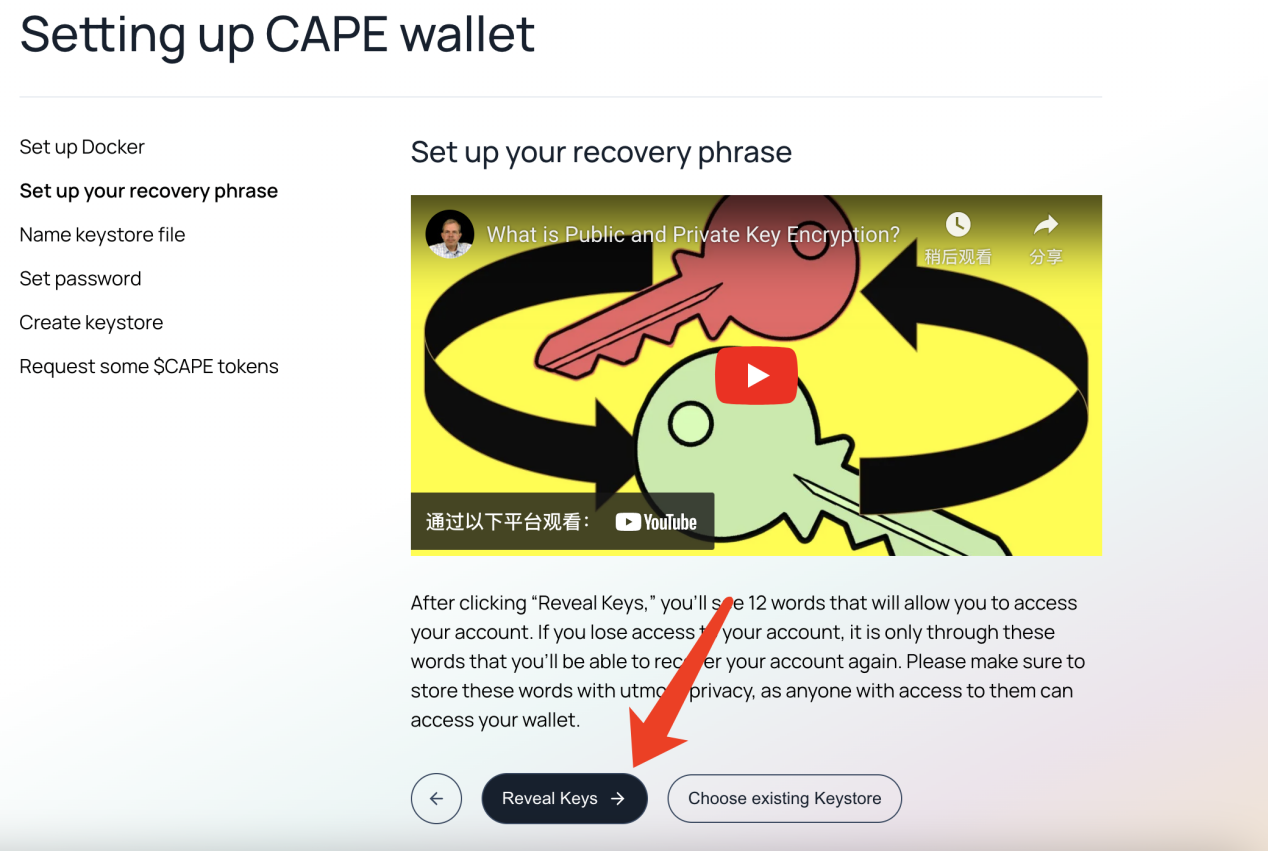
点击Reveal Keys

![image11.png](https://img.learnblockchain.cn/attachments/2023/03/0iDKrHI66409b32d1c702.png)

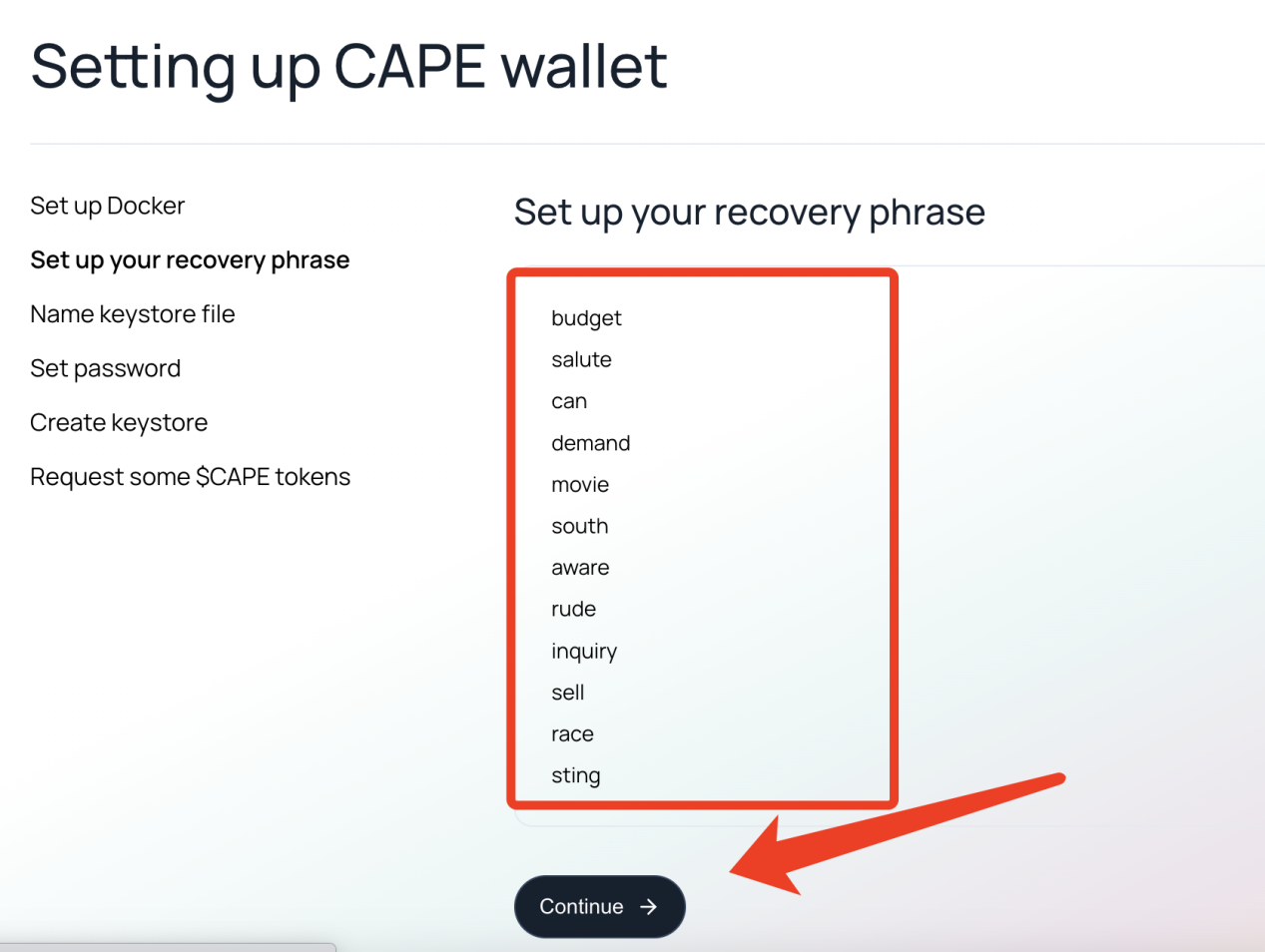
按照顺序记住这12个词,任何知道这12个词的人都可以用你的账号

![image12.png](https://img.learnblockchain.cn/attachments/2023/03/gGLCq5mW6409b3357a79a.png)

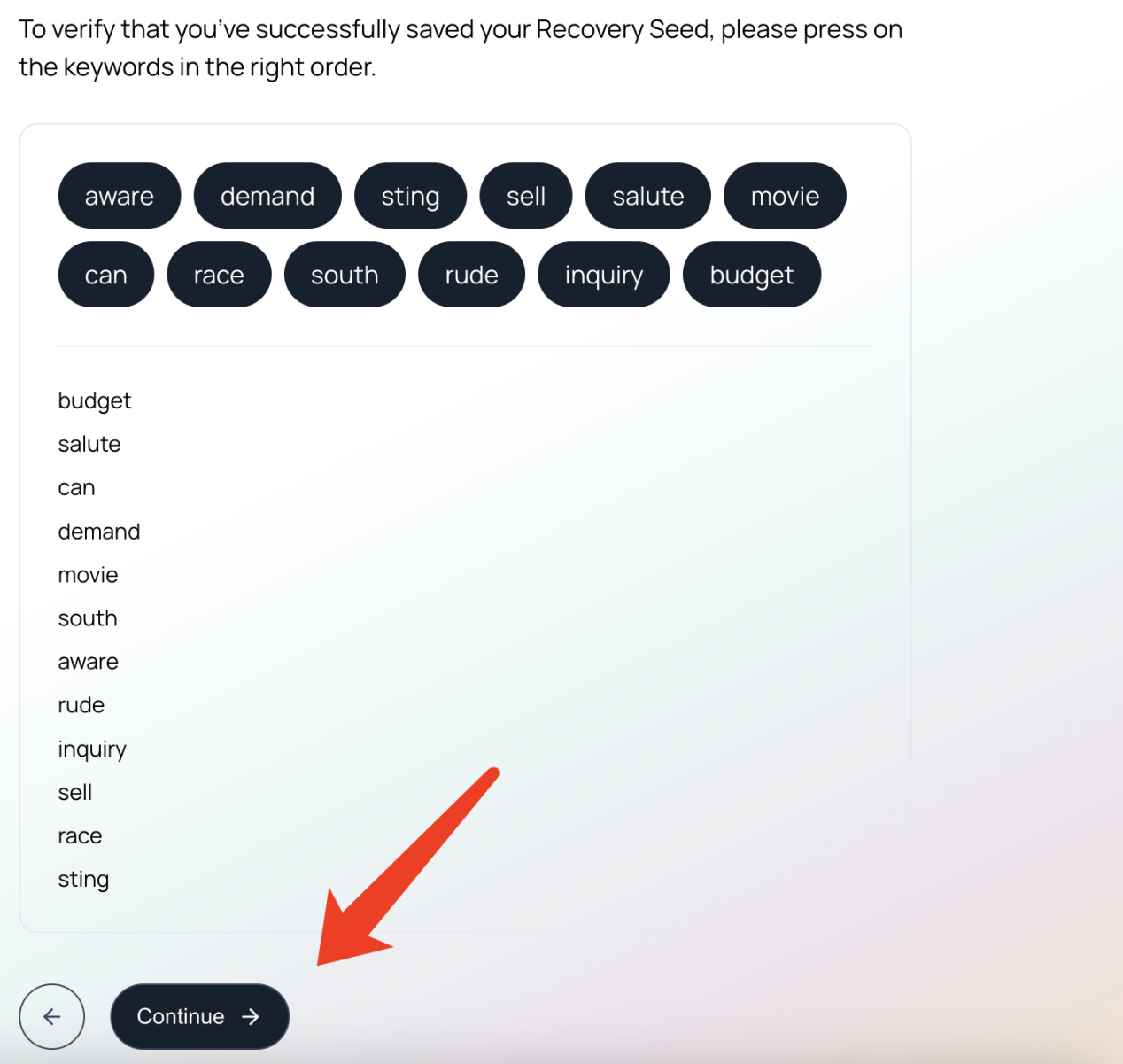
按照刚才的顺序点击词,然后点继续

![image13.png](https://img.learnblockchain.cn/attachments/2023/03/T9Cn68Yn6409b33dcb9b8.png)

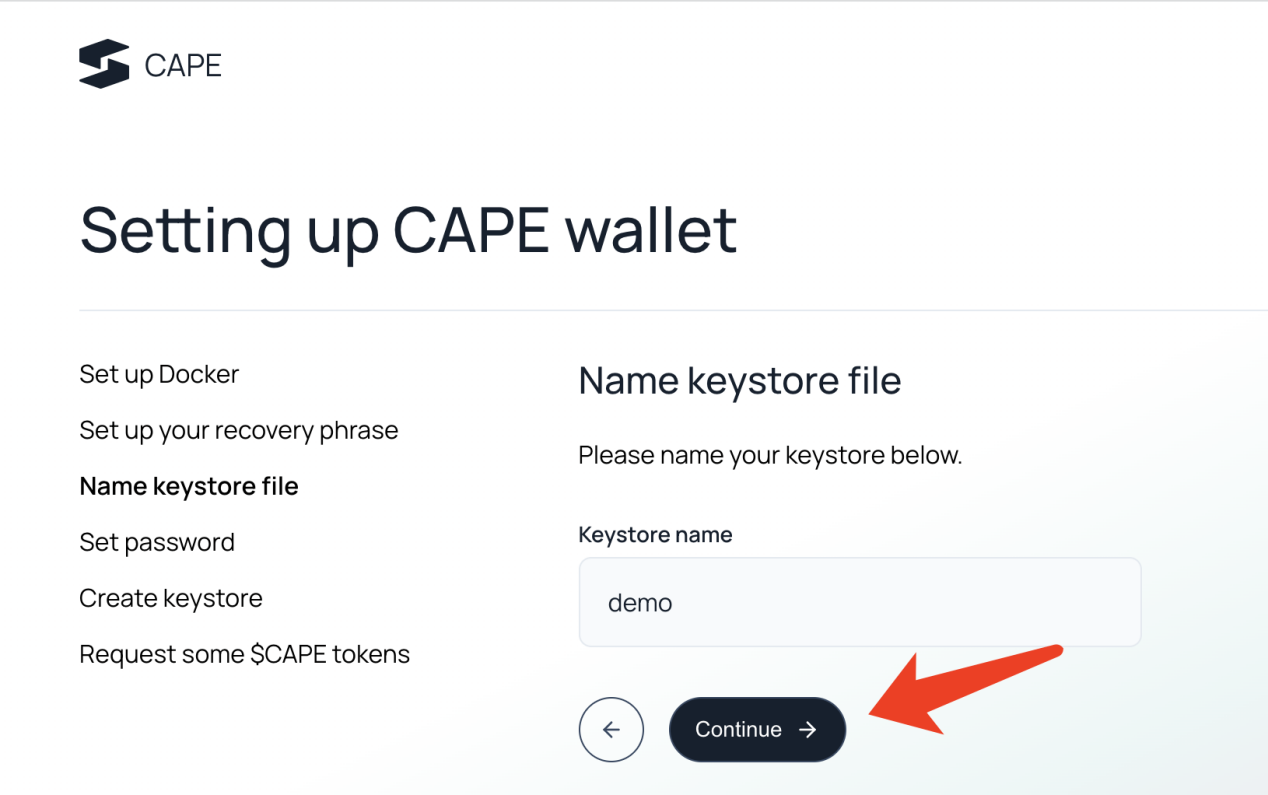
取名,点继续

![image14.png](https://img.learnblockchain.cn/attachments/2023/03/KGnOg8yH6409b346b8052.png)

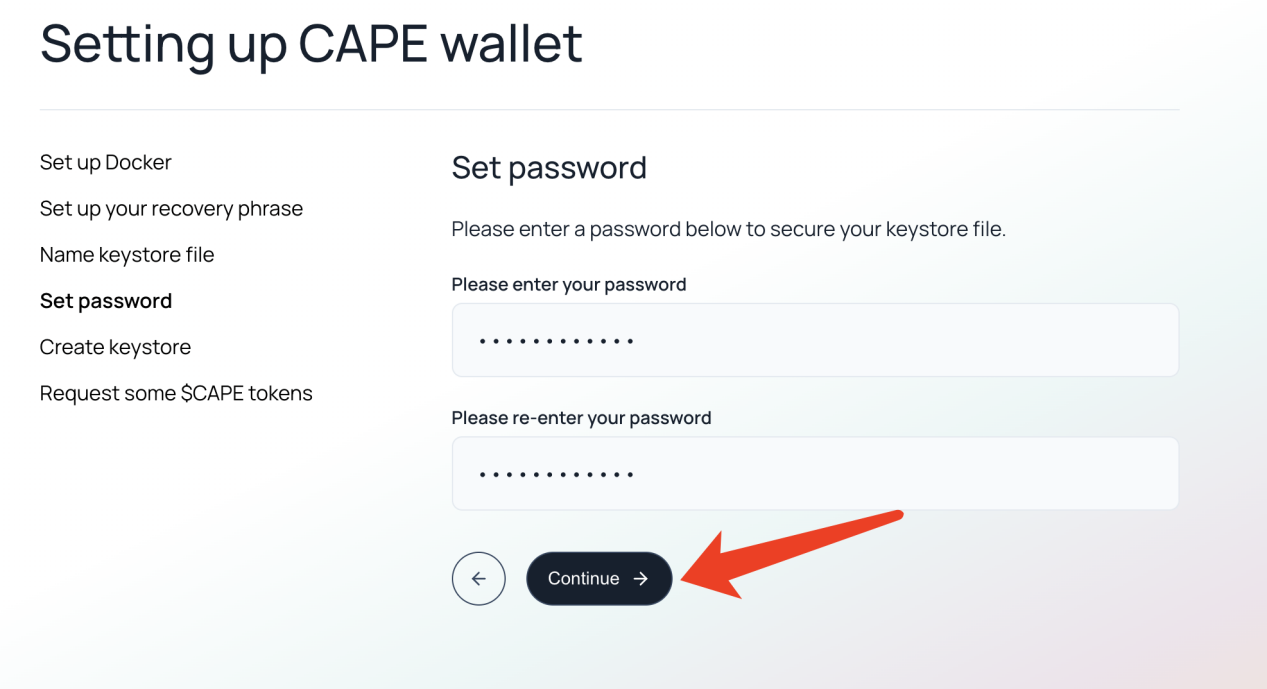
设置密码,点继续

![image15.png](https://img.learnblockchain.cn/attachments/2023/03/qFkNWvmi6409b34f7ca4c.png)

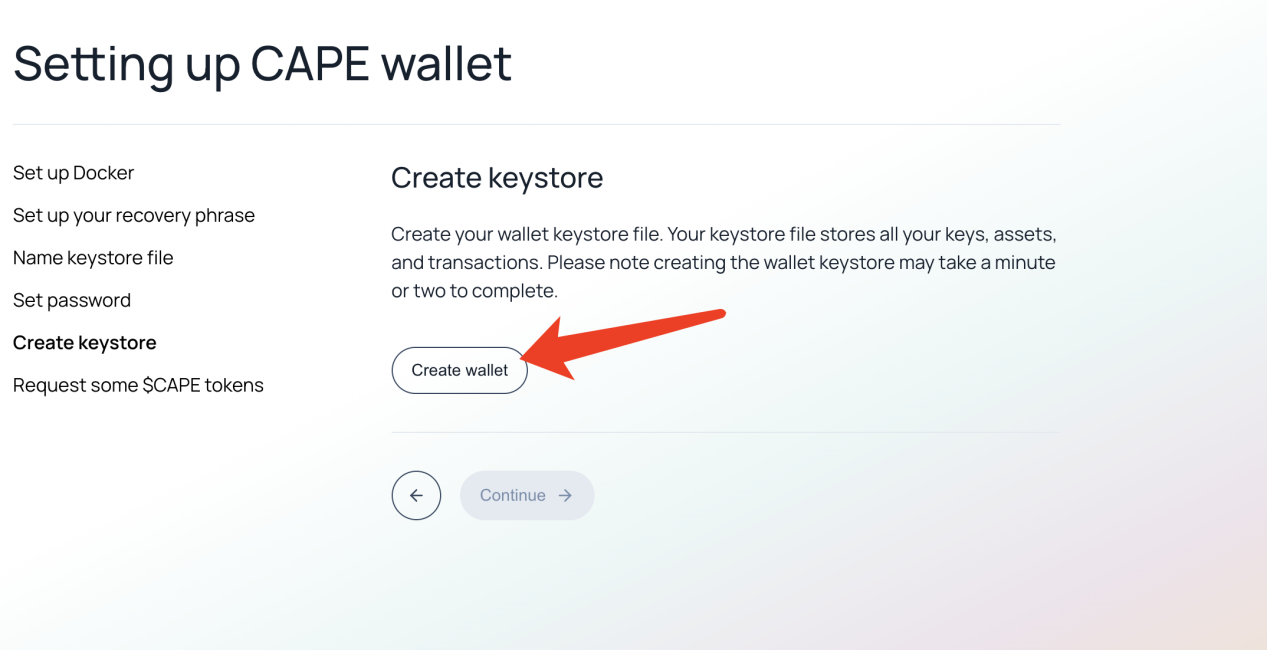
点击create wallet

![image16.png](https://img.learnblockchain.cn/attachments/2023/03/Wwdc2r756409b358d573e.png)

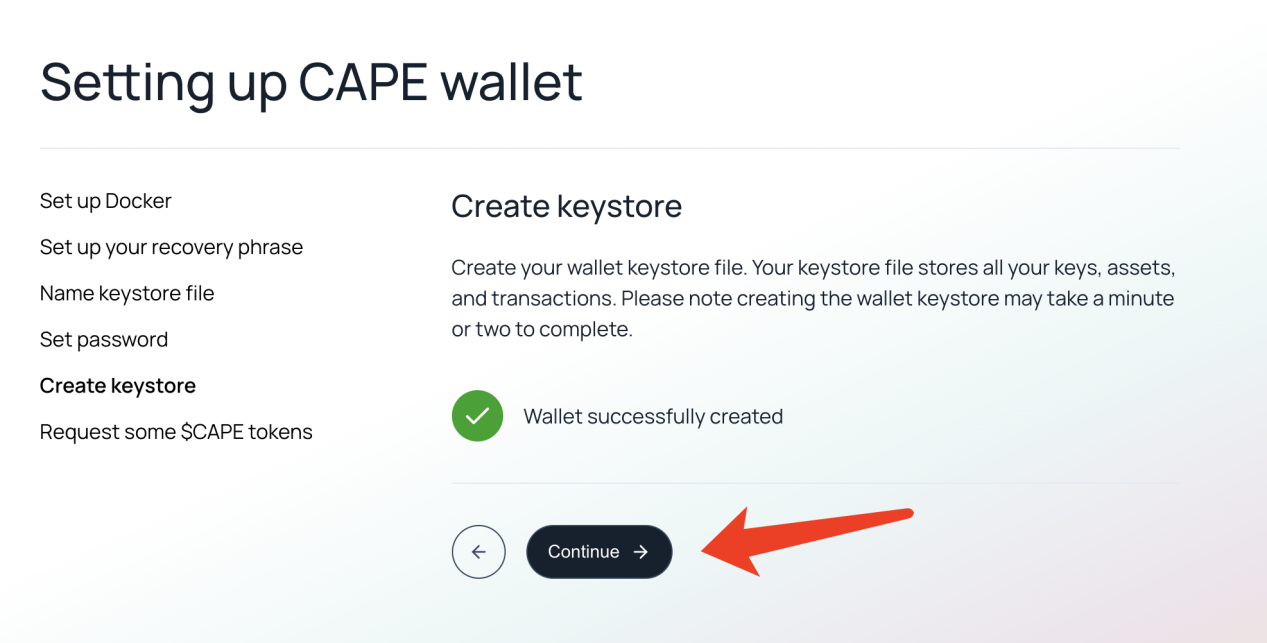
点击continue

![image17.png](https://img.learnblockchain.cn/attachments/2023/03/KjNhIabf6409b36401990.png)

点击Request some $CAPE 接水,然后点Continue,
下边的操作需要连接小狐狸钱包,这里需要使用Arbitrum Goerli网络,
如果没有自行按照下边的信息添加:

Network name: Arbitrum Goerli

New RPC URL: [https://goerli-rollup.arbitrum.io/rpc](https://goerli-rollup.arbitrum.io/rpc)

Chain ID: 421613

Currency symbol: AGOR

Block explorer URL: [https://goerli.arbiscan.io](https://goerli.arbiscan.io/)

在CAPE dashboard中点右上角的Connect MetaMask

![](https://image.danny.hk/uploads/2023/03/image-5-1024x496.png)

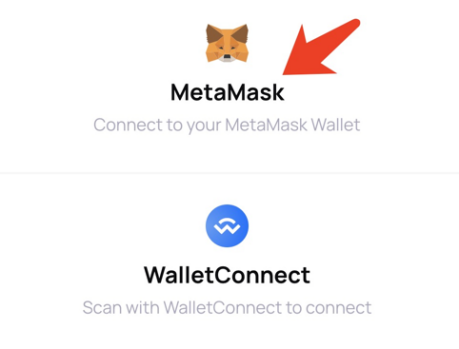
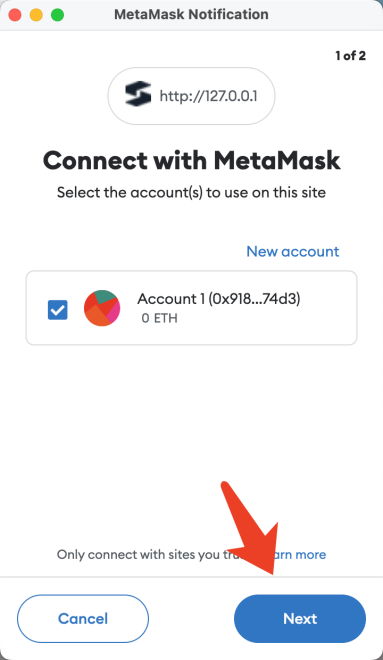
选择MetaMask,如果弹出的窗口和下图不同刷新一下网页就可以
![image25.png](https://img.learnblockchain.cn/attachments/2023/03/Tbv8EXkm6409b3a24e726.png)
点Next
![image26.png](https://img.learnblockchain.cn/attachments/2023/03/UNYuumRM6409b3a996a0e.png)
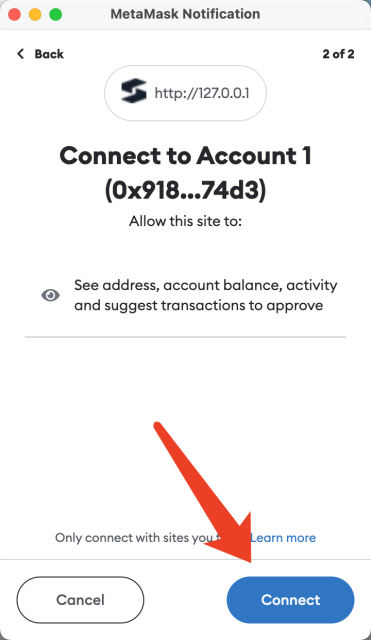
点Connect
![image27.png](https://img.learnblockchain.cn/attachments/2023/03/frd9ORhw6409b3d22487f.png)

创建资产

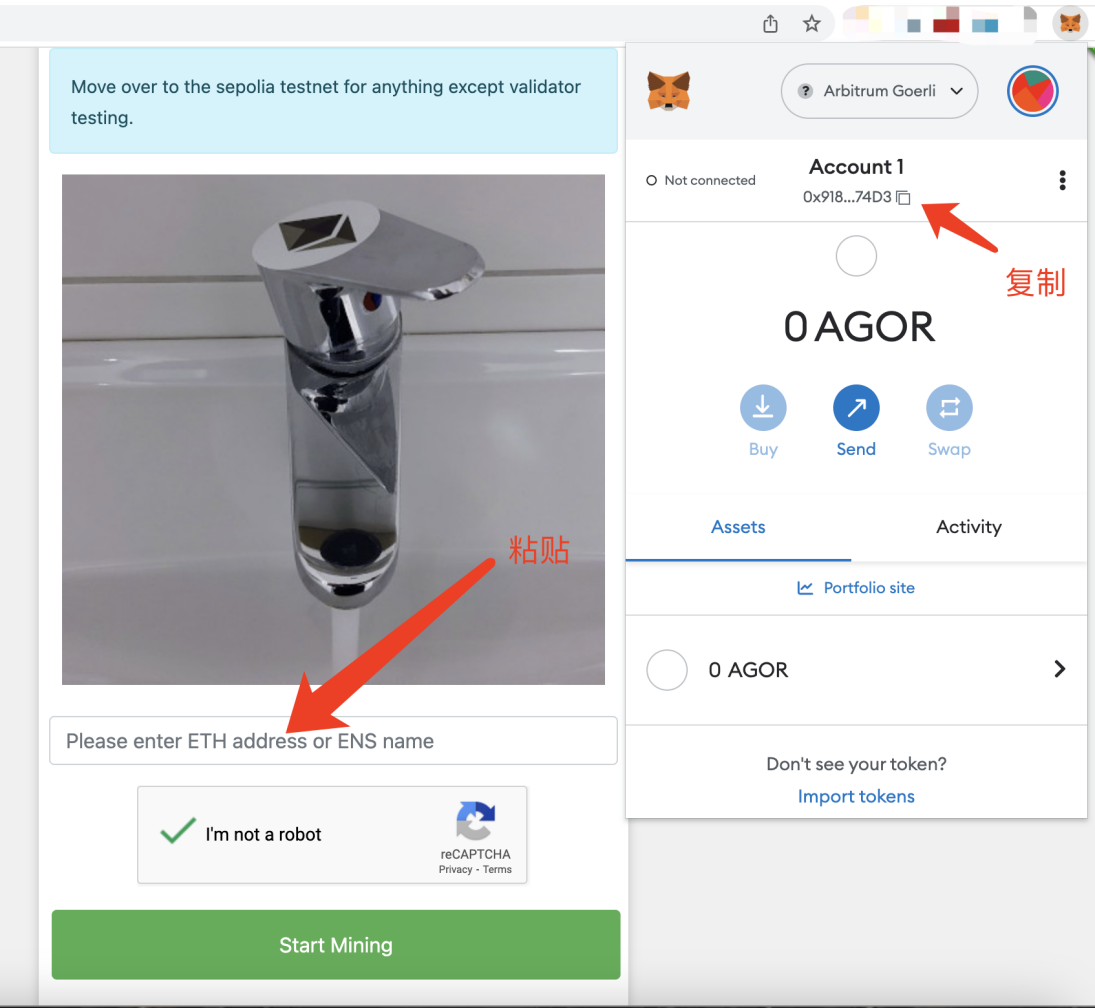
首先要获取测试币AGOR或者叫Georli ether

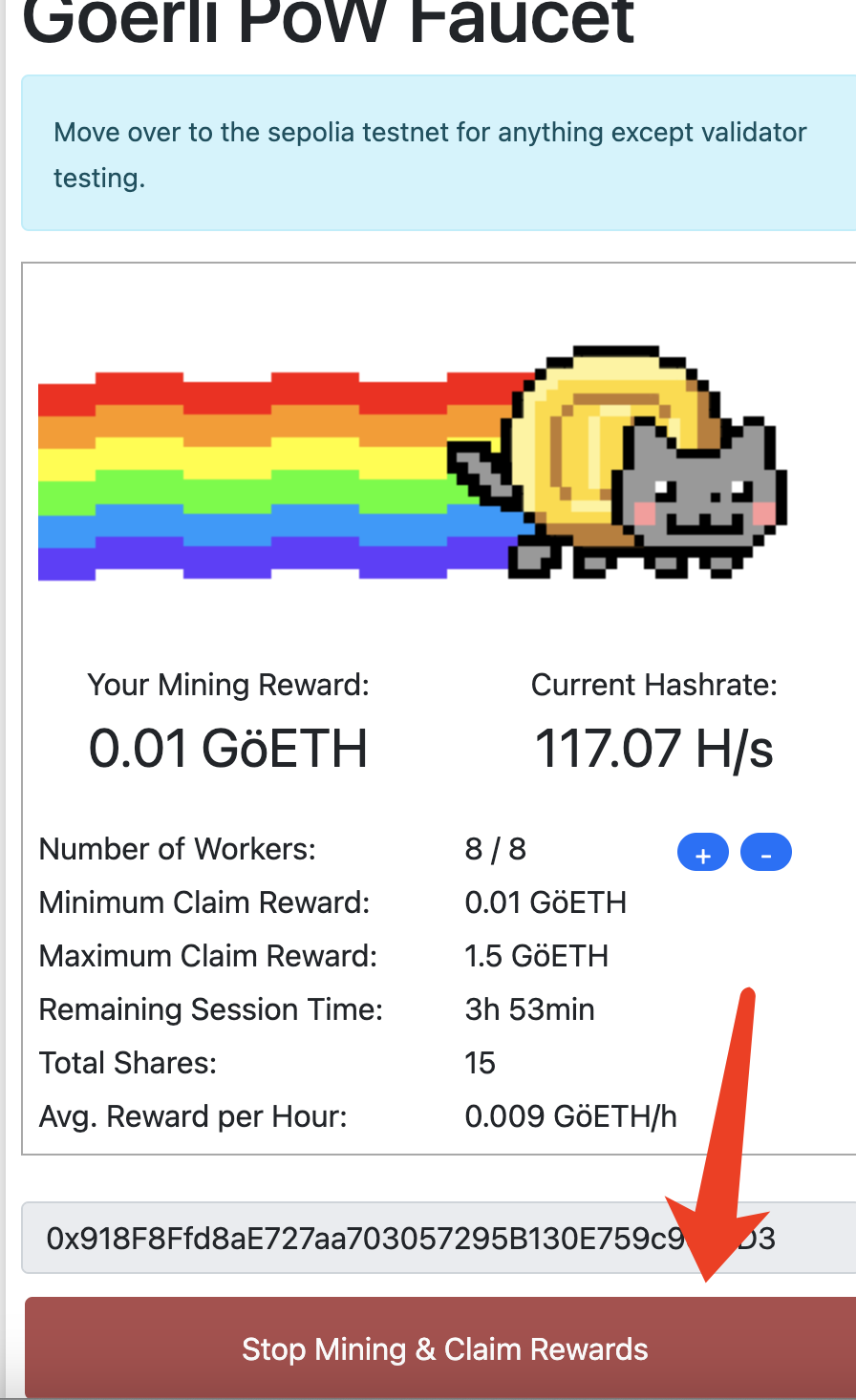
可以打开[https://goerli-faucet.pk910.de/](https://goerli-faucet.pk910.de/)进行接水,也可以用别的
![image28.png](https://img.learnblockchain.cn/attachments/2023/03/xCB4Bhl26409b3f42ec1e.png)

达到0.01个eth之后就可以领取,点击下方Stop Mininng & Claim Rewards按钮
![image29.png](https://img.learnblockchain.cn/attachments/2023/03/bK9qNWjZ6409b3fc5f2fb.png)

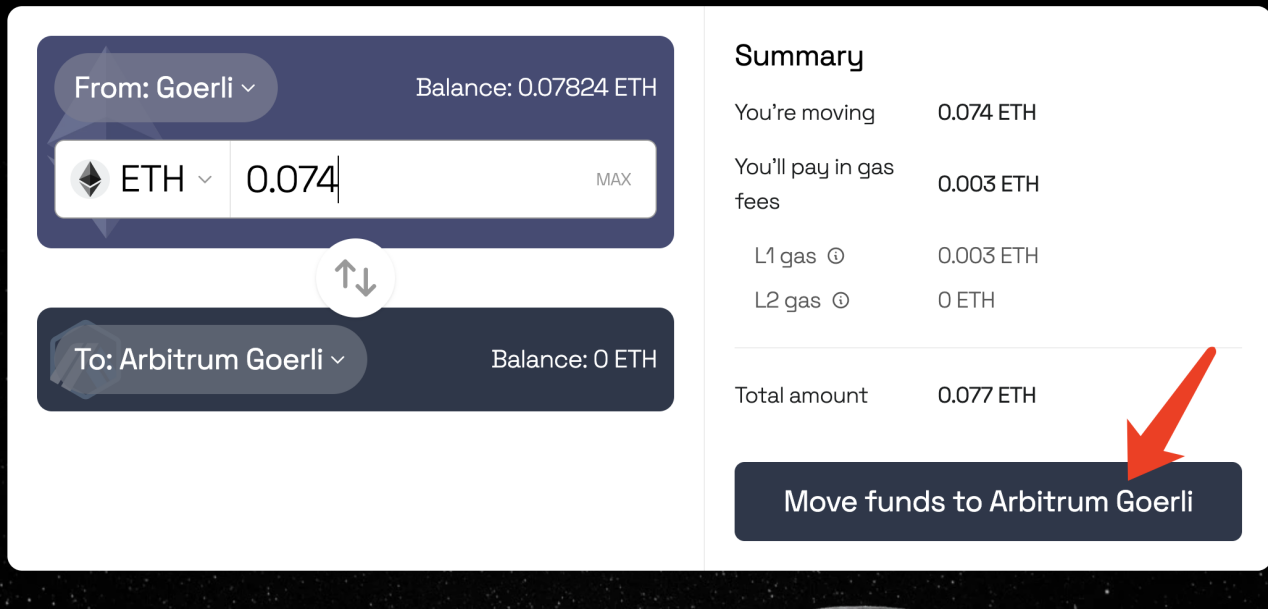
将ETH从Georli跨链转移到Arbitrum Georli

浏览器打开[https://bridge.arbitrum.io/](https://bridge.arbitrum.io/),输入要转移的金额,然后点Move funds to Arbitrum Georli。转移大概要花15分钟。
![image30.png](https://img.learnblockchain.cn/attachments/2023/03/2N2MFI7a6409b4064d0f7.png)

铸造ERC20测试币

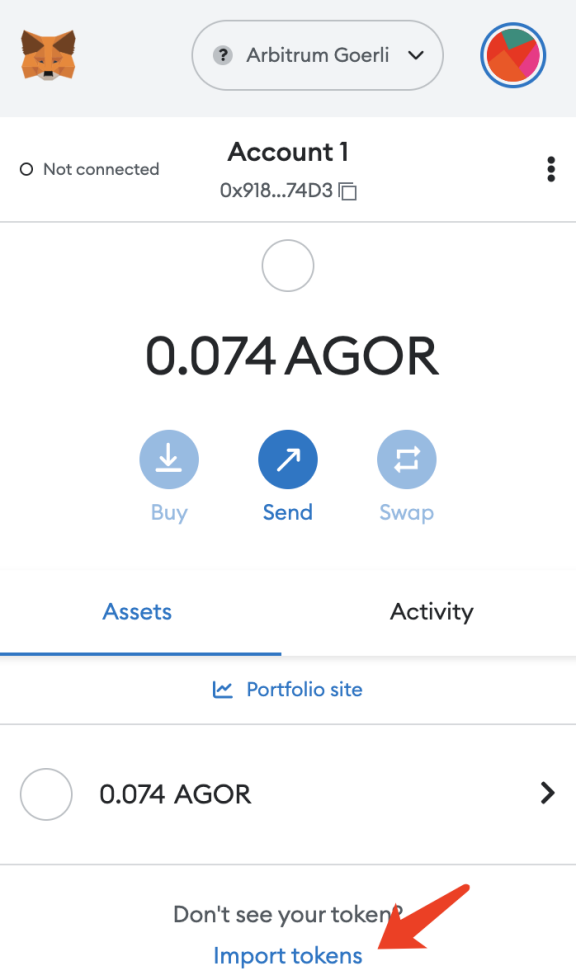
打开MetaMask,点底部import tokens
![image31.png](https://img.learnblockchain.cn/attachments/2023/03/gplBviKm6409b41a2ef5b.png)

WETH: 0x4F1D9E040cf28A522ec79951cDb7B55c8aE4744E

DAI: 0xBeec50ed16E3559afCD582cC98ed2b5F5DcA189E

USDC: 0x9A4f4Ee35a8FfEE459B3187A372d422790fc8aAB

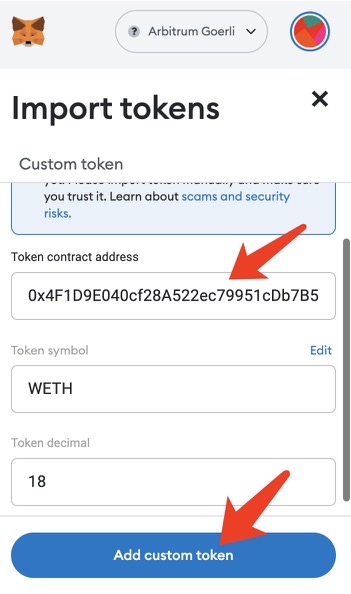
在以上三种测试币中任选一种,将其地址粘贴到Token contract
address,Token symbol和Token decimal钱包会自动读取。填完点Add custom
token
![image32.jpeg](https://img.learnblockchain.cn/attachments/2023/03/gQY2p82b6409b42a334e7.jpeg)

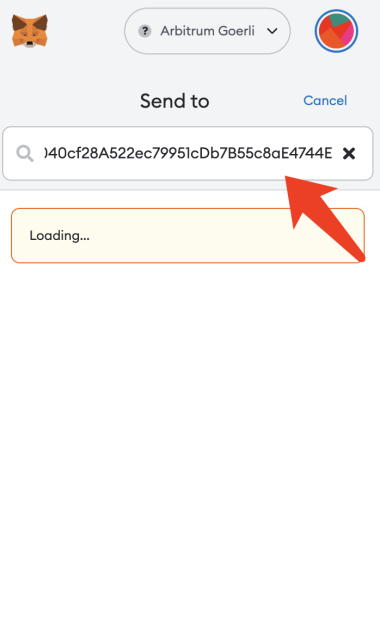
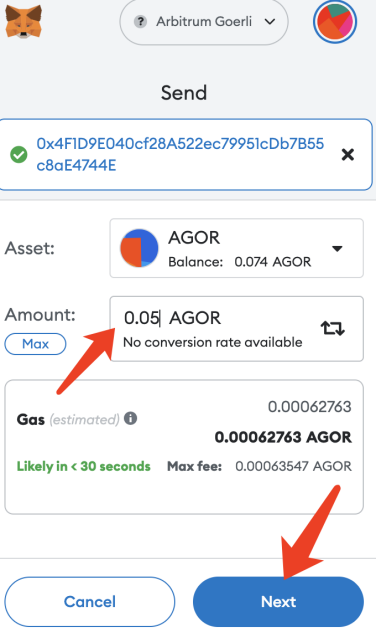
在MetaMask点击send,在搜索框中粘贴刚才的地址,输入金额,点Next
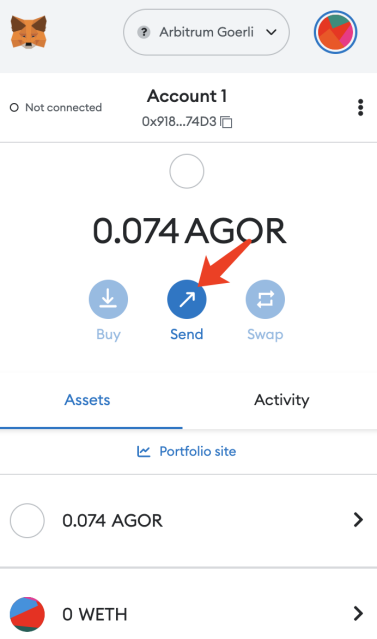
![image33.png](https://img.learnblockchain.cn/attachments/2023/03/LUJYEqiC6409b43819767.png)

![image34.png](https://img.learnblockchain.cn/attachments/2023/03/yVNAL7yQ6409b43e5310c.png)

![image35.png](https://img.learnblockchain.cn/attachments/2023/03/FC0v1hux6409b44383b4b.png)

创建CAPE资产

生成密钥

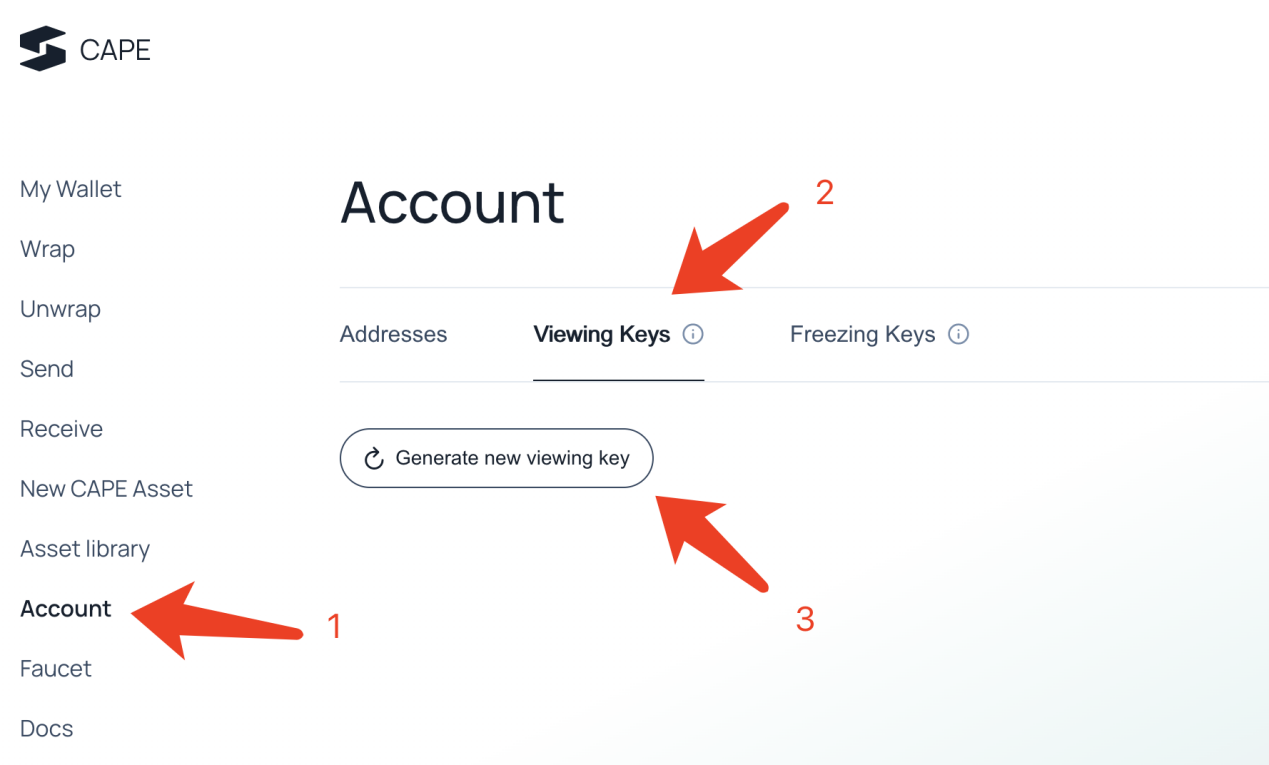
生成viewing keys

![image36.png](https://img.learnblockchain.cn/attachments/2023/03/tiLhw3br6409b48d2d0dc.png)

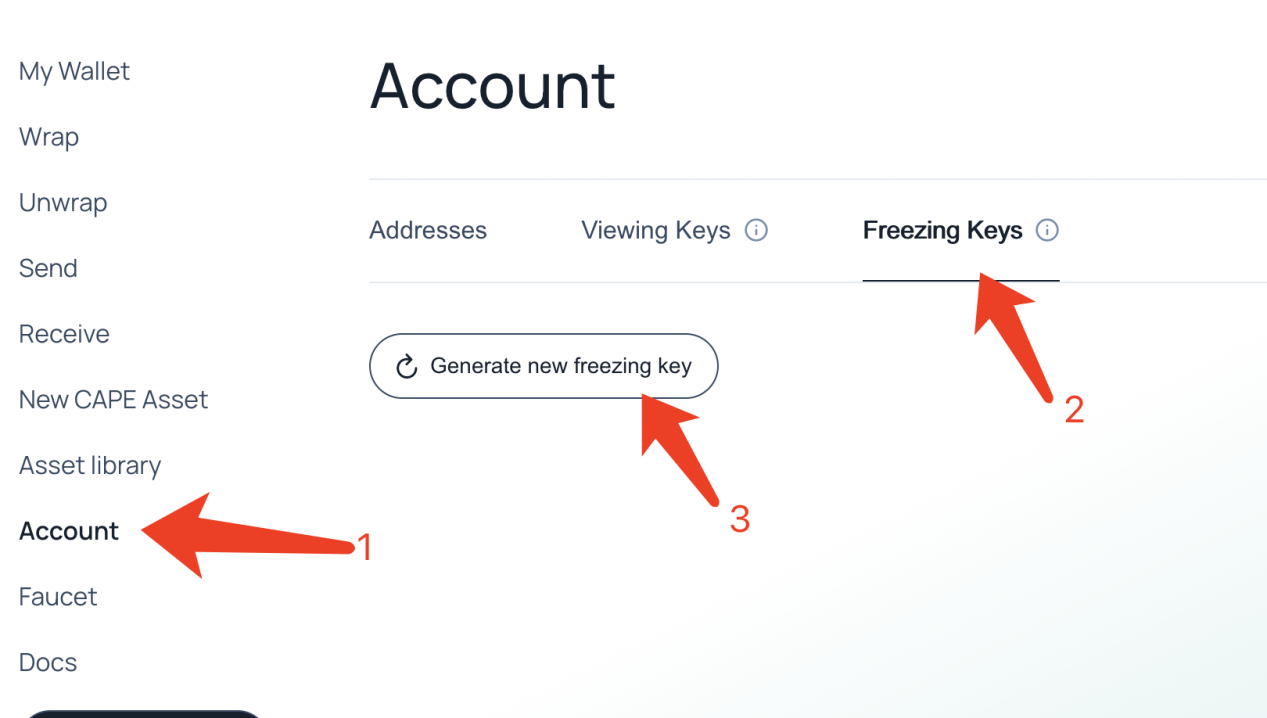
生成Freezing keys

![image37.png](https://img.learnblockchain.cn/attachments/2023/03/n57FvjP06409b49370e7c.png)

创建ERC20资产

点击左侧的 New CAPE Asset,在右侧的ERC-20 contract
address中粘贴铸造的币的合约地址。(刚才铸造测试币时用的三个地址之一,铸造了什么币这里就填它的地址)
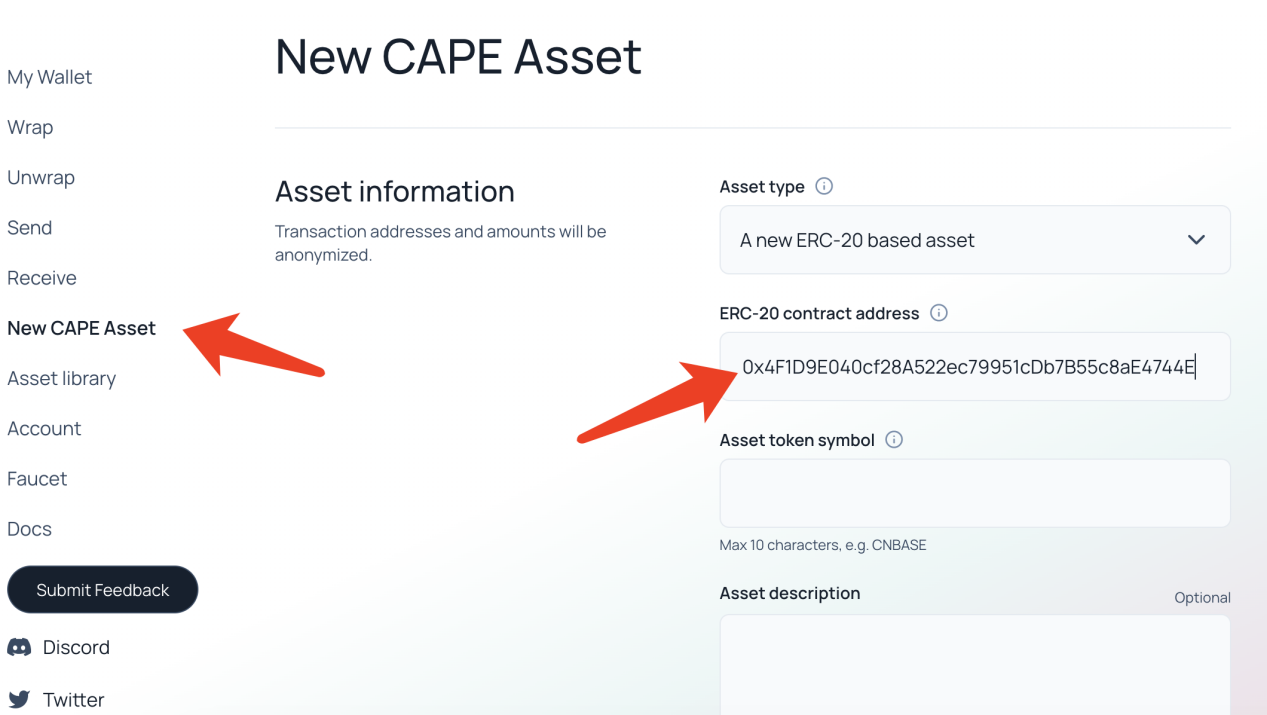
![image38.png](https://img.learnblockchain.cn/attachments/2023/03/477VaRyh6409b49a08873.png)

勾选框勾选,并粘贴之前生成的viewing keys和Freezing keys
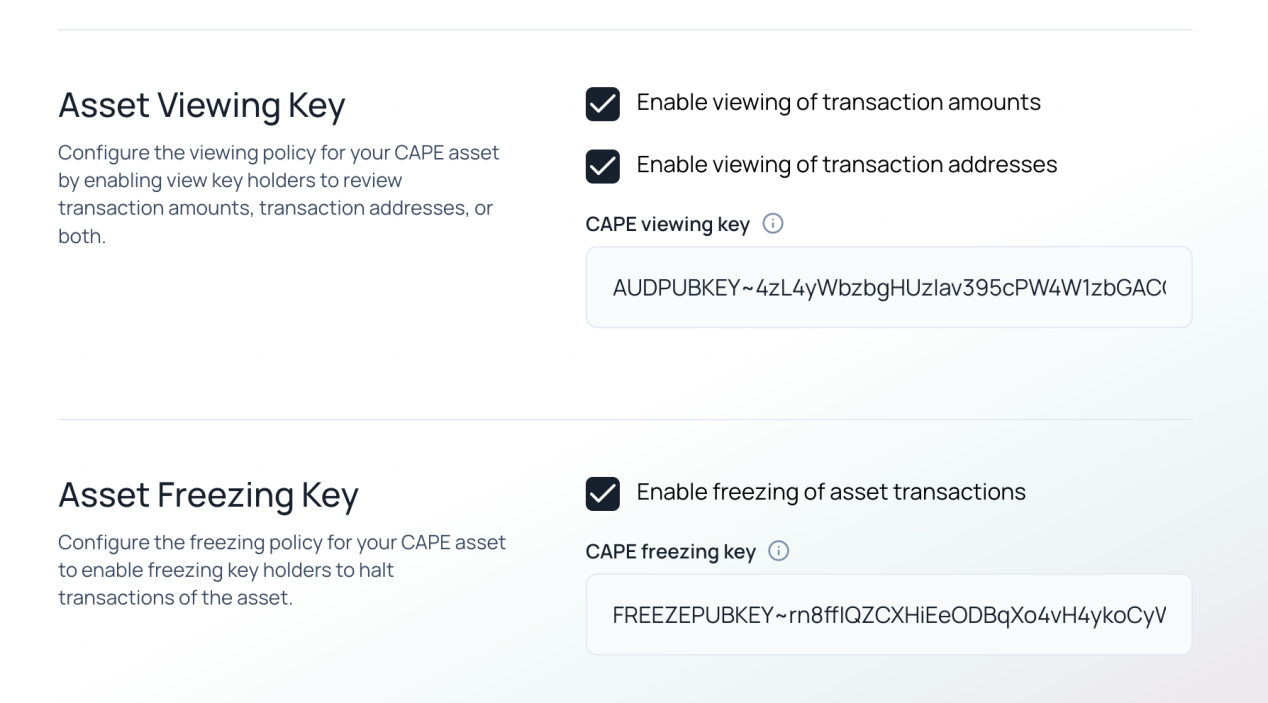
![image39.png](https://img.learnblockchain.cn/attachments/2023/03/P5JnFMOY6409b4a11c480.png)

完成后点Create new CAPE asset,在Asset library中可以看到刚才创建的资产类型
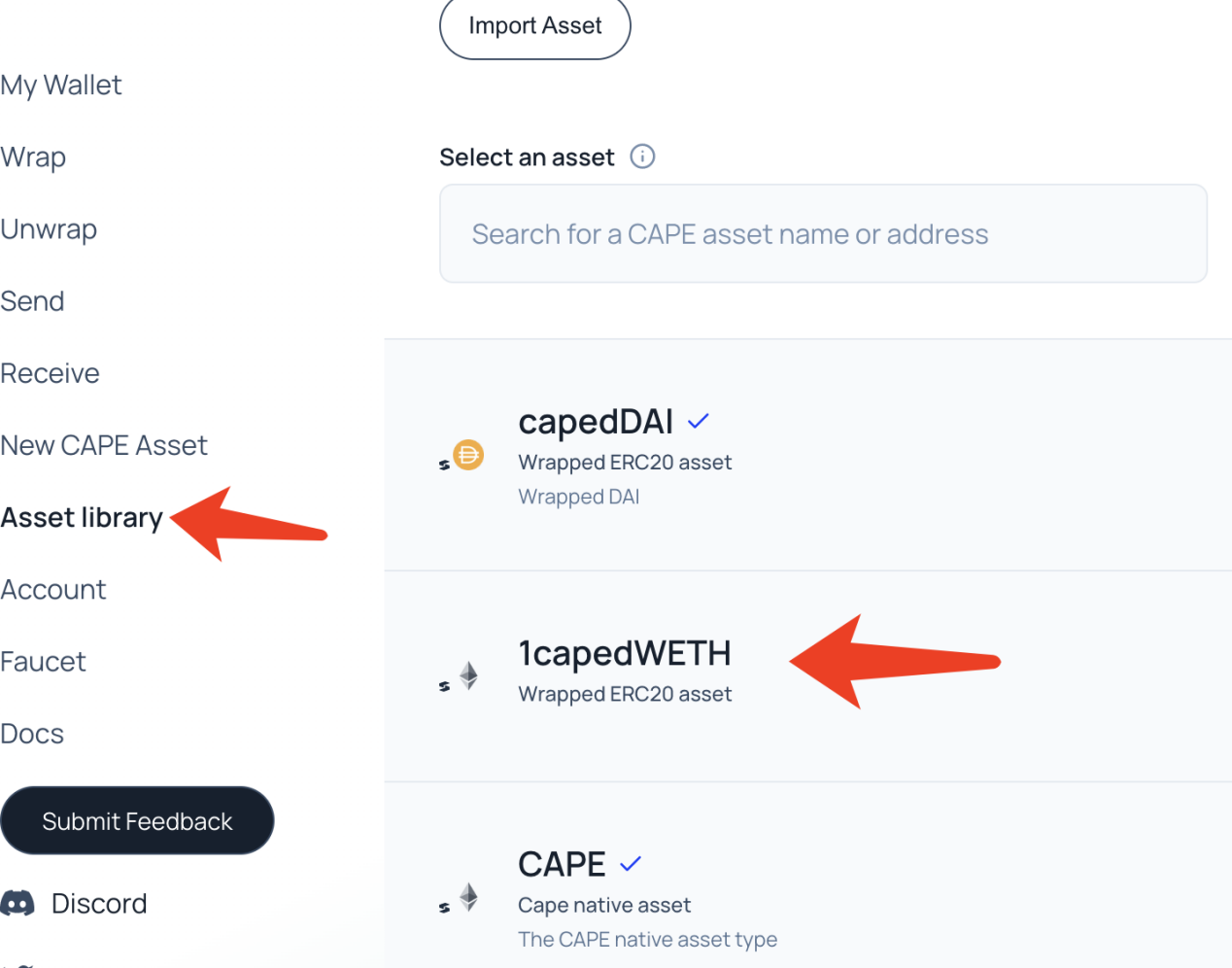
![image40.png](https://img.learnblockchain.cn/attachments/2023/03/RvWy7PXV6409b4aab824d.png)

点击左侧New CAPE Asset,选择刚创建的资产类型,之后需要在钱包确认一次
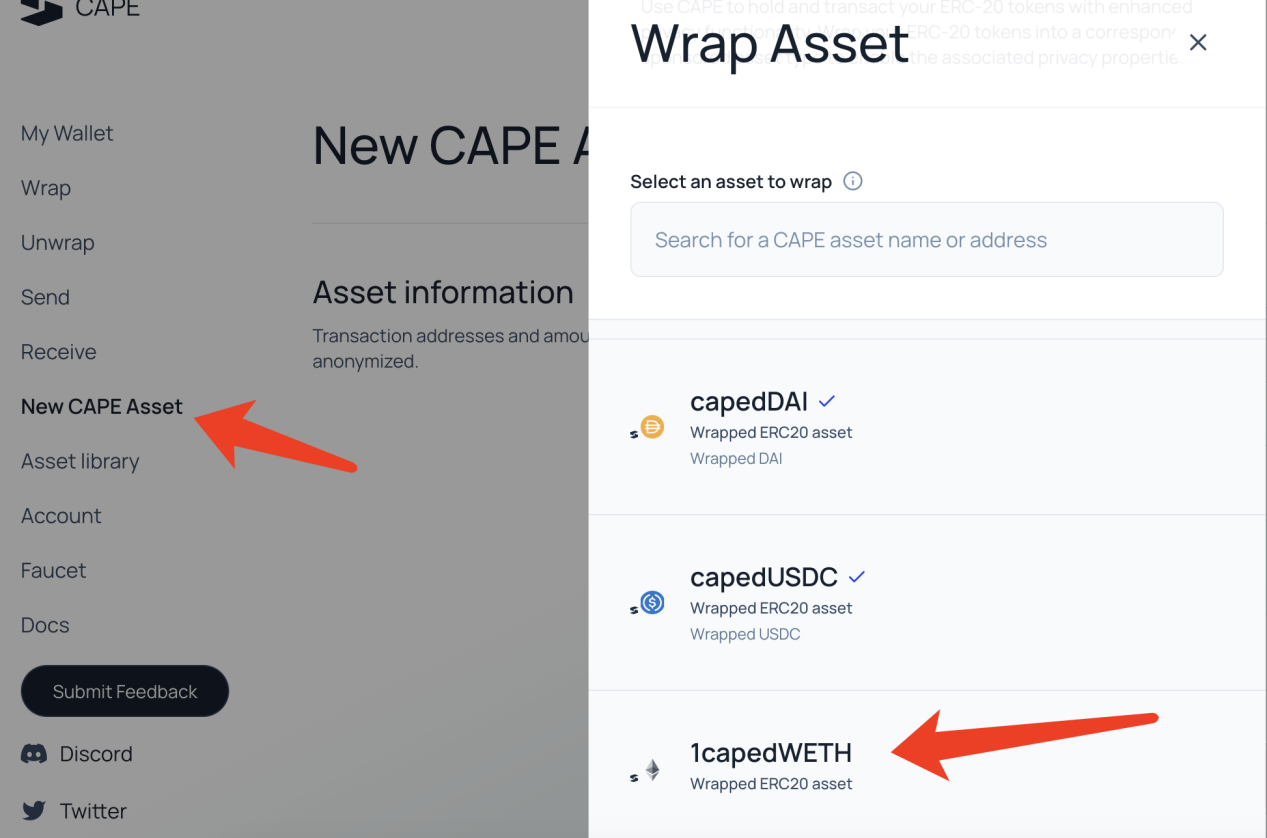
![image41.png](https://img.learnblockchain.cn/attachments/2023/03/oqiziuZr6409b4b24ae9d.png)

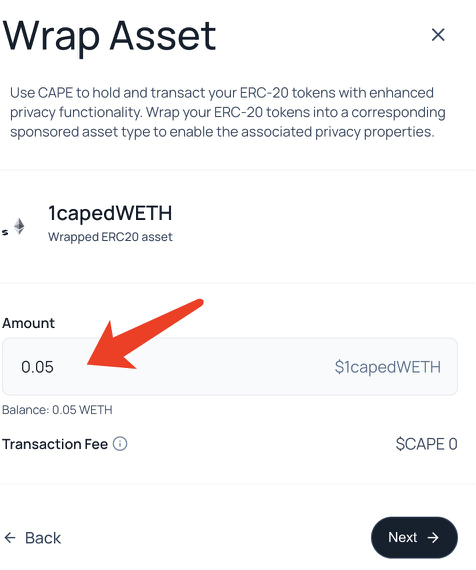
输入要打包的金额,之后一路点确认

![image42.png](https://img.learnblockchain.cn/attachments/2023/03/mO1X6HUf6409b4b8ebe8d.png)

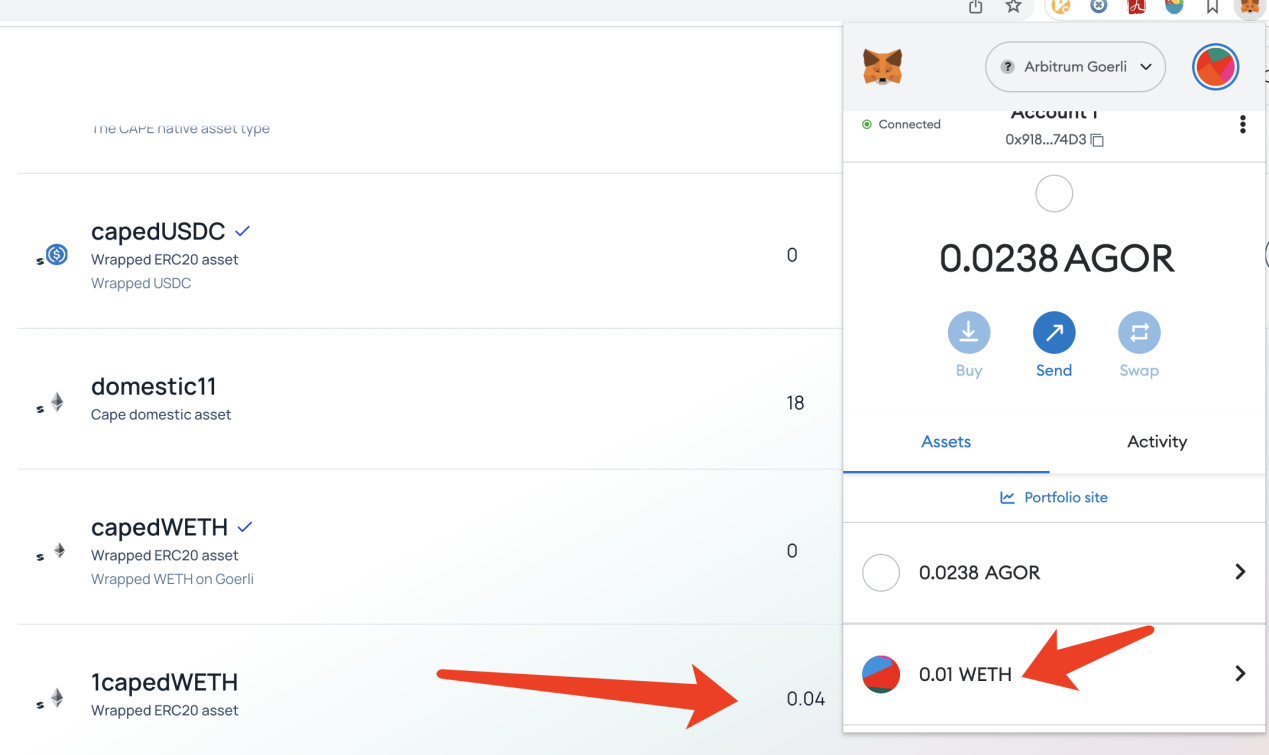
在My Wallet中可以看到币被打包进CAPE资产金额增加了。如果没看到可以稍微等一会,测试网比较慢
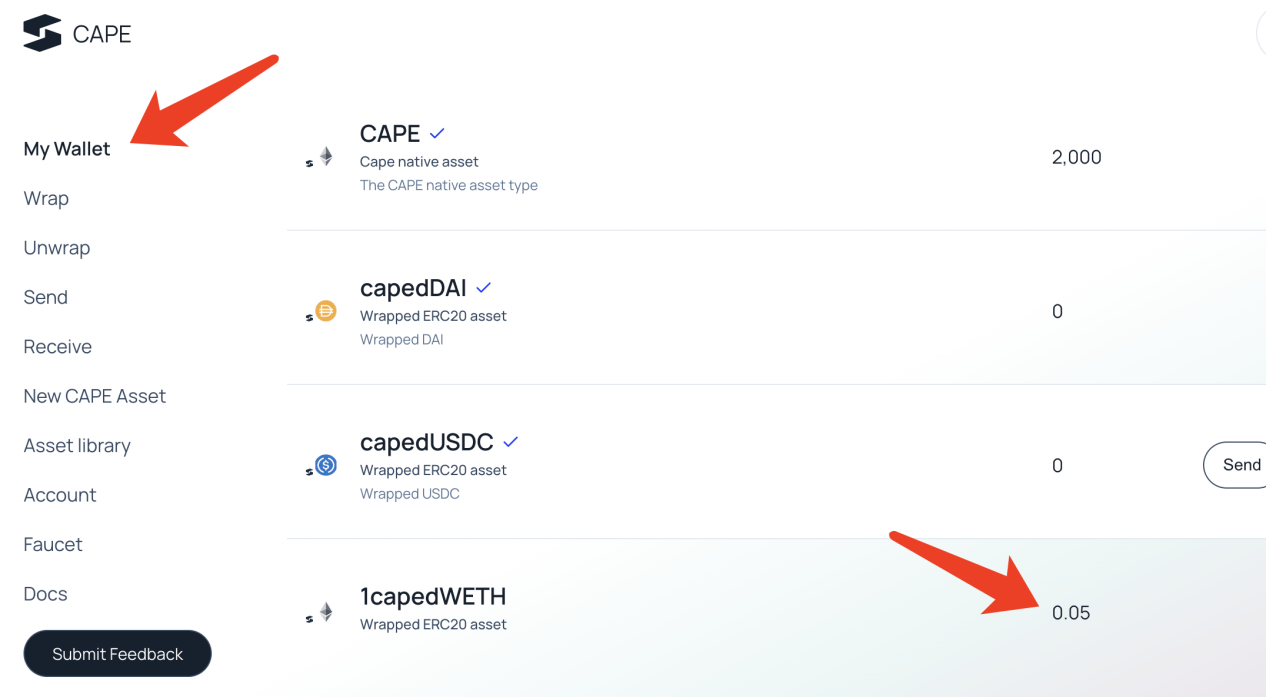
![image43.png](https://img.learnblockchain.cn/attachments/2023/03/J6uYfGe46409b4c0523d9.png)

解包操作,点左侧Unwrap,选择要解包的资产类型,输入要解包的金额,一路点确认
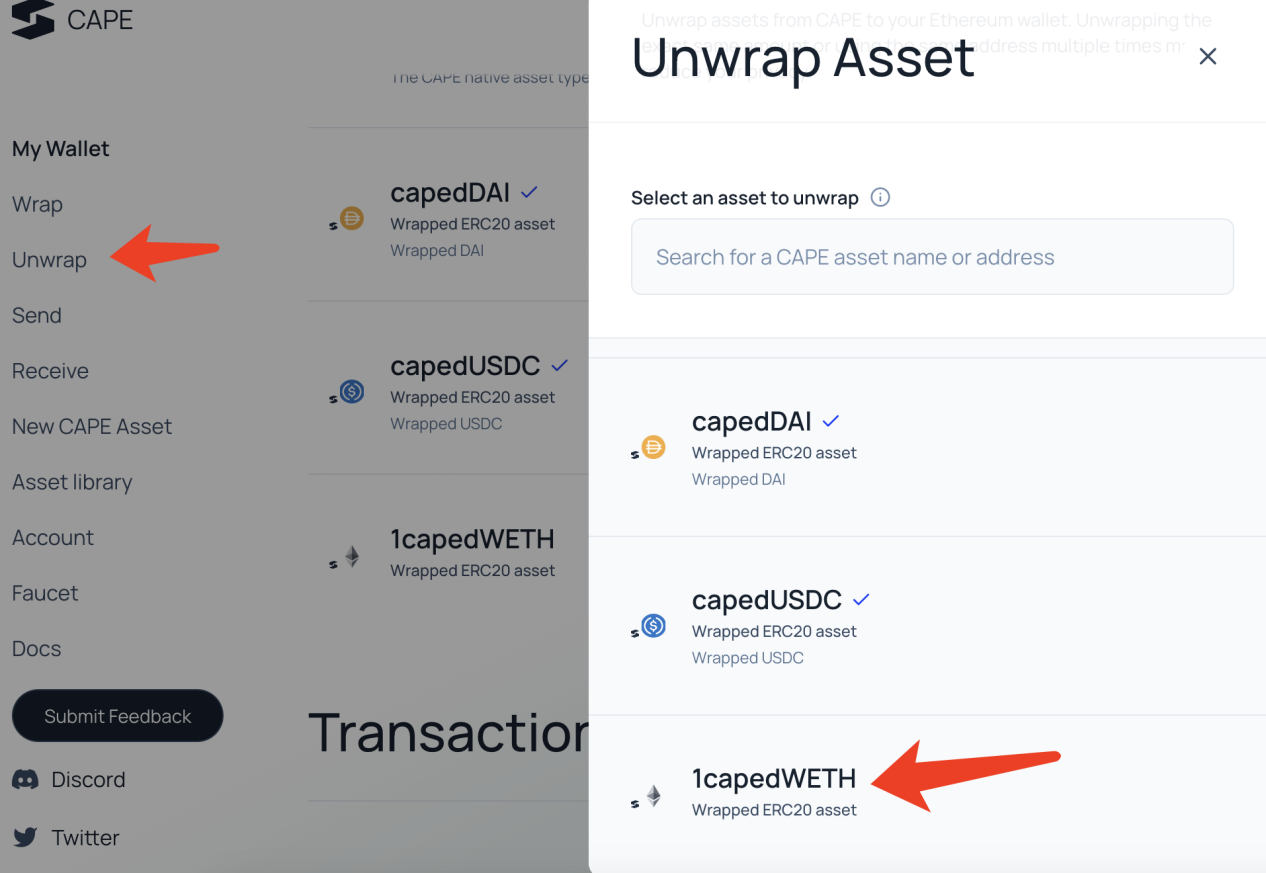
![image44.png](https://img.learnblockchain.cn/attachments/2023/03/wXvRuFIP6409b4c73d855.png)

解包的币回到了MetaMask

![image45.png](https://img.learnblockchain.cn/attachments/2023/03/Toat0gzX6409b4cd4ae1f.png)

创建本地CAPE资产

在左栏点New CAPE Asset,在Asset type下拉栏选A new domestic CAPE
asset,并输入要打包的金额。其他步骤和创建ERC20资产类型一样。
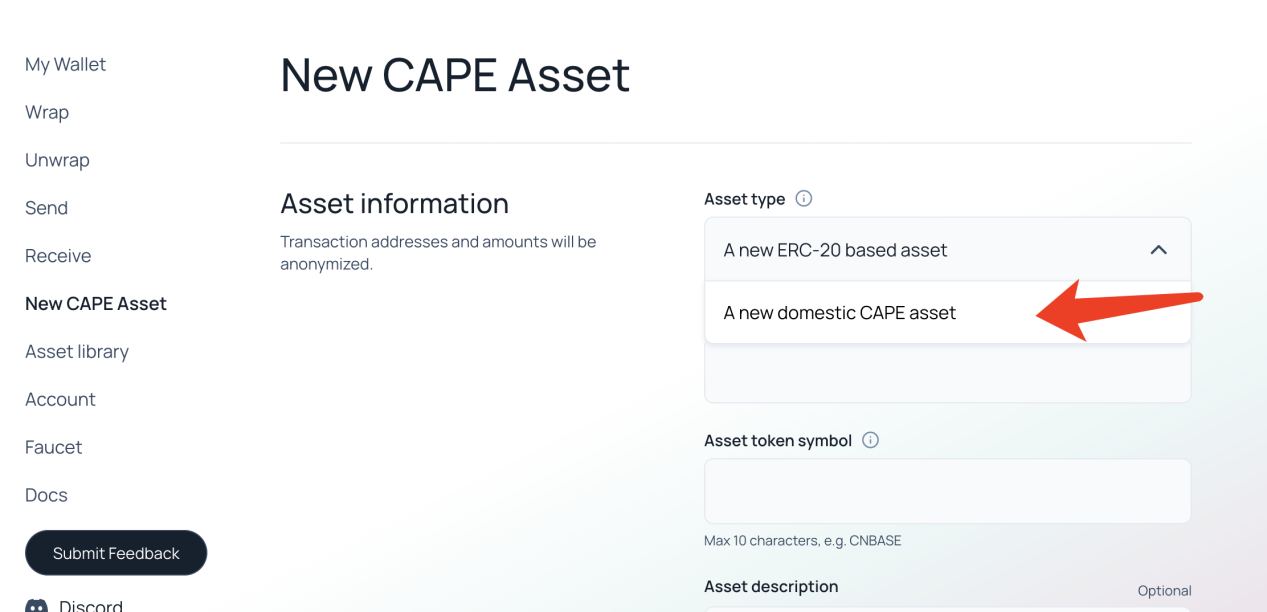
![image46.png](https://img.learnblockchain.cn/attachments/2023/03/50nlyCWR6409b4d41bb01.png)

发送和接收CAPE资产

发送资产

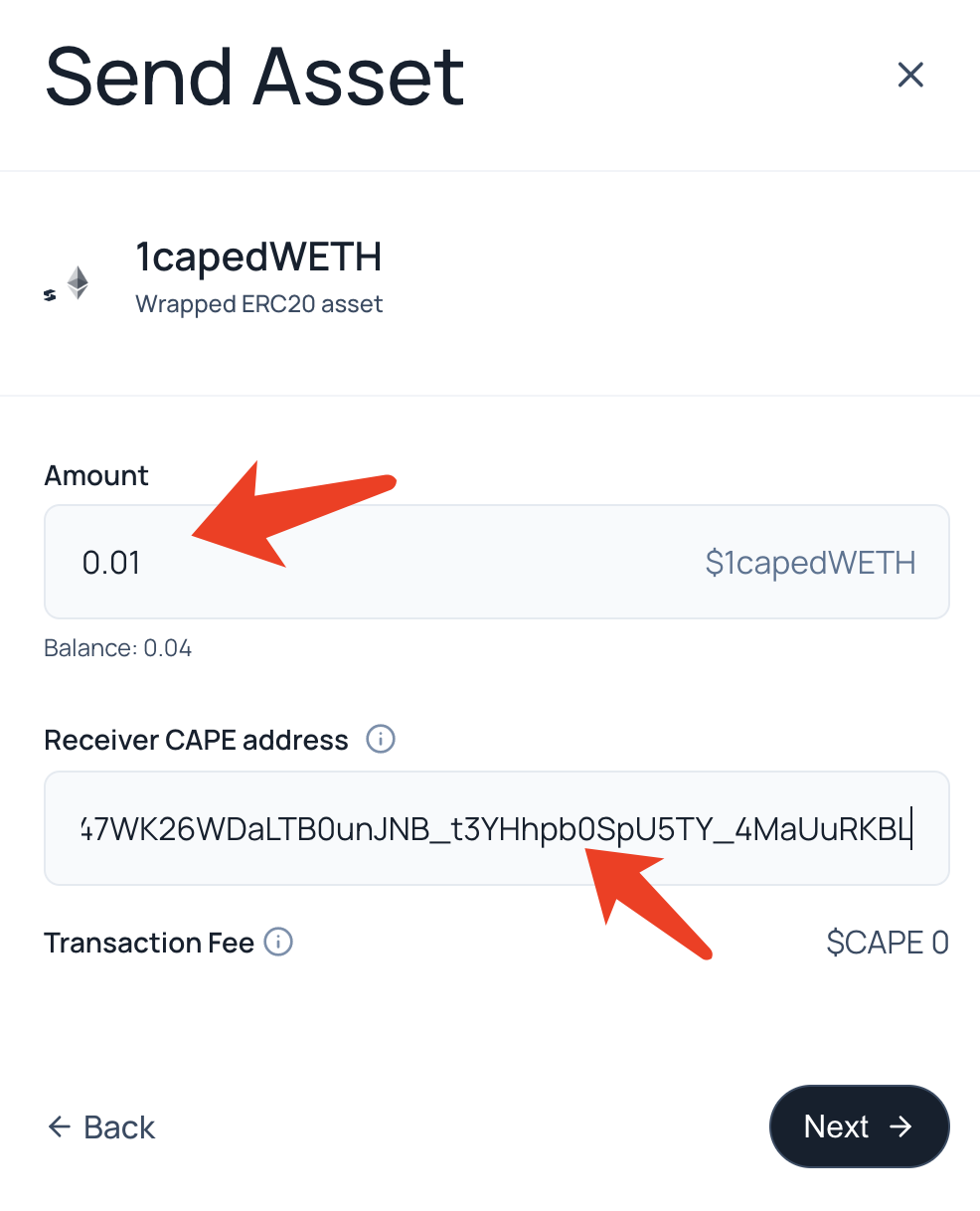
在左栏中点send,在弹窗中选想发送的资产。
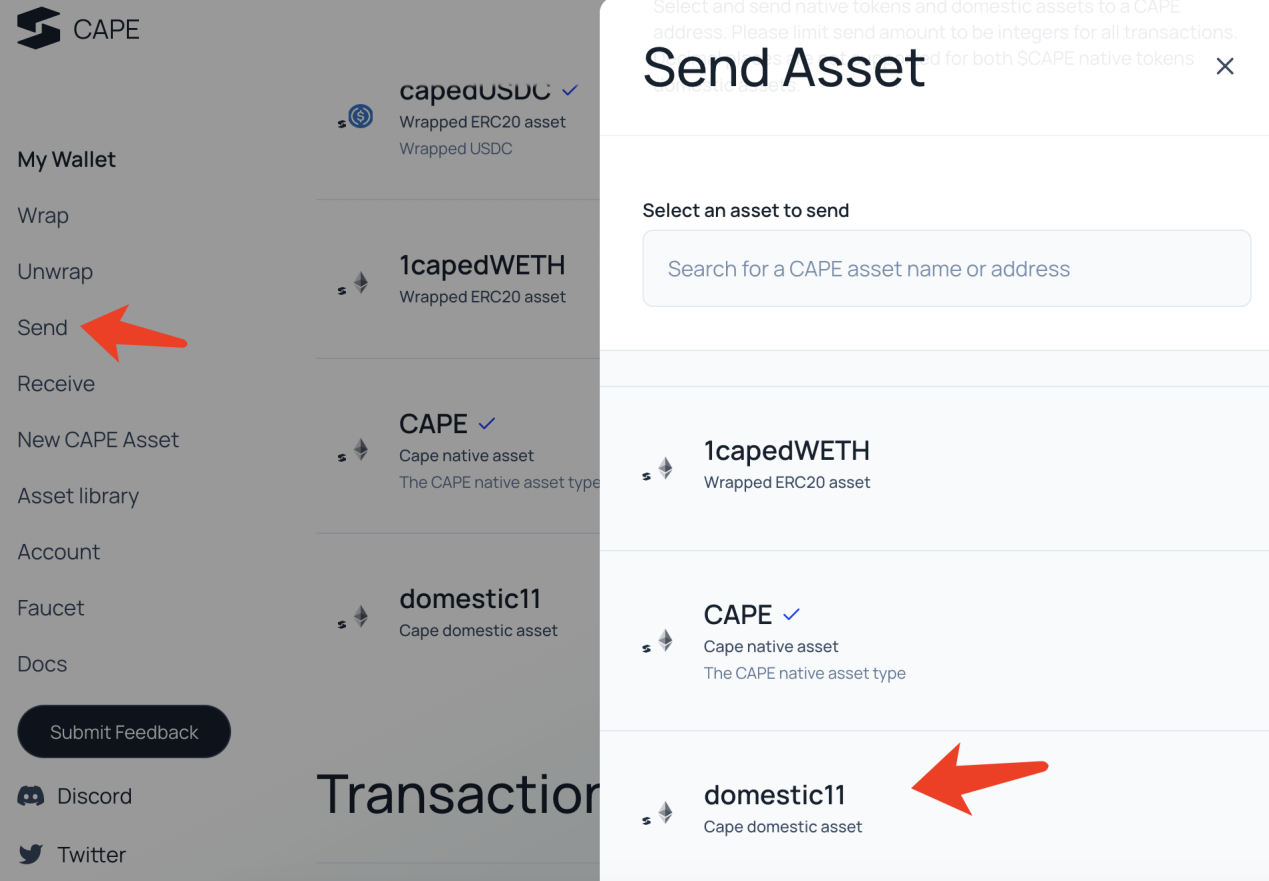
![image47.png](https://img.learnblockchain.cn/attachments/2023/03/6AoDsNgX6409b4da82960.png)

填入发送的金额和接受者的地址,一路点确认

![image48.png](https://img.learnblockchain.cn/attachments/2023/03/IurImqKx6409b4e0adde5.png)

接收资产

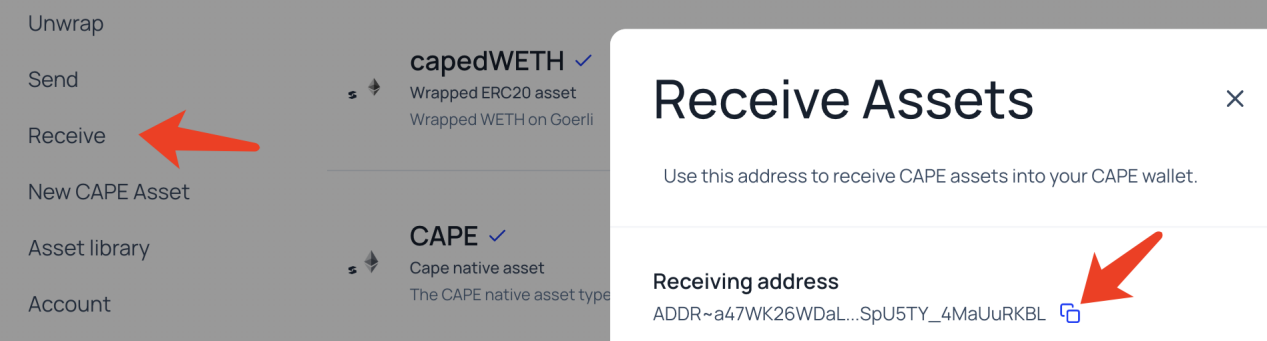
在左栏中点receive,复制自己的地址

![image49.png](https://img.learnblockchain.cn/attachments/2023/03/hu2OrPnk6409b4e6ebdd3.png)

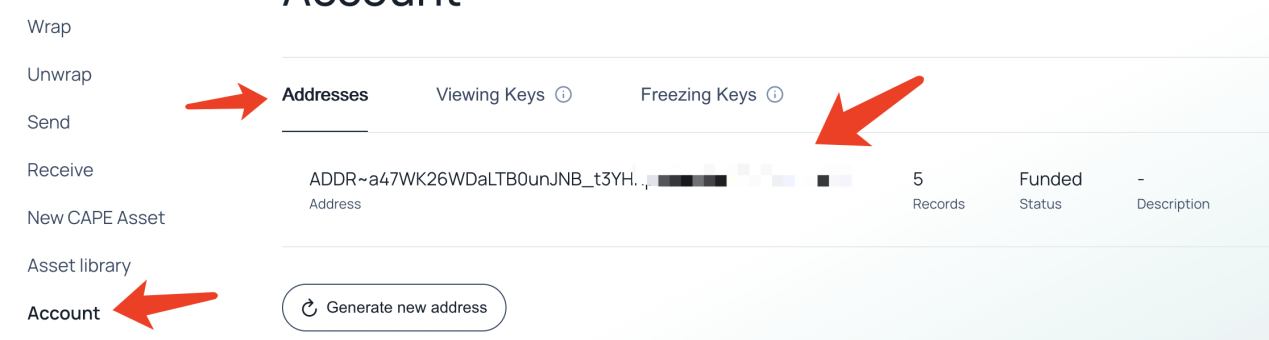
或者在左栏点account,然后复制地址

![image50.png](https://img.learnblockchain.cn/attachments/2023/03/GprupIZH6409b4ee4083a.png)

根据提示一路操作即可,

必须是服务器内桌面,外网操作无效。

\[/crypto-block\]

如需交互式阅读、购买或评论,请打开站内完整版页面。